
Product tour
Every screen inside EquityLift OS
This is the actual workspace, not a mock-up. Twenty screens covering the whole journey: writing your thesis, running the deal board, valuing the business, getting lender-ready, running diligence and planning the first 90 days.
01
Dashboard
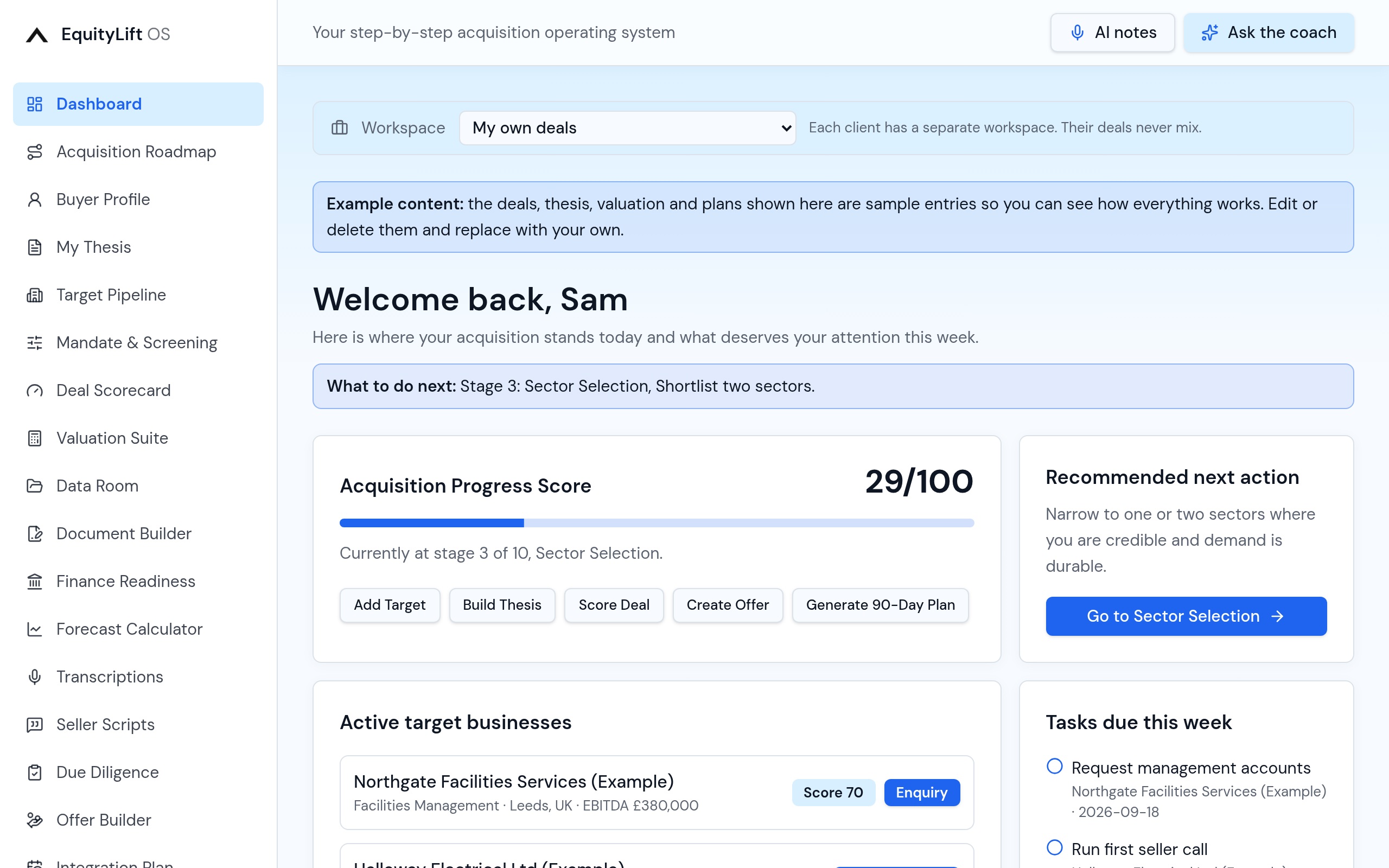
Every time you sign in you land on a single view of where the acquisition stands: your progress score out of 100, the stage you are on, active targets with their deal scores, tasks due this week and how much of the lender document list you have gathered.
- Acquisition progress score across all ten stages
- Active targets with live deal scores and status
- Tasks due this week pulled from every deal card
- One recommended next action, never a blank page
02
Acquisition Roadmap
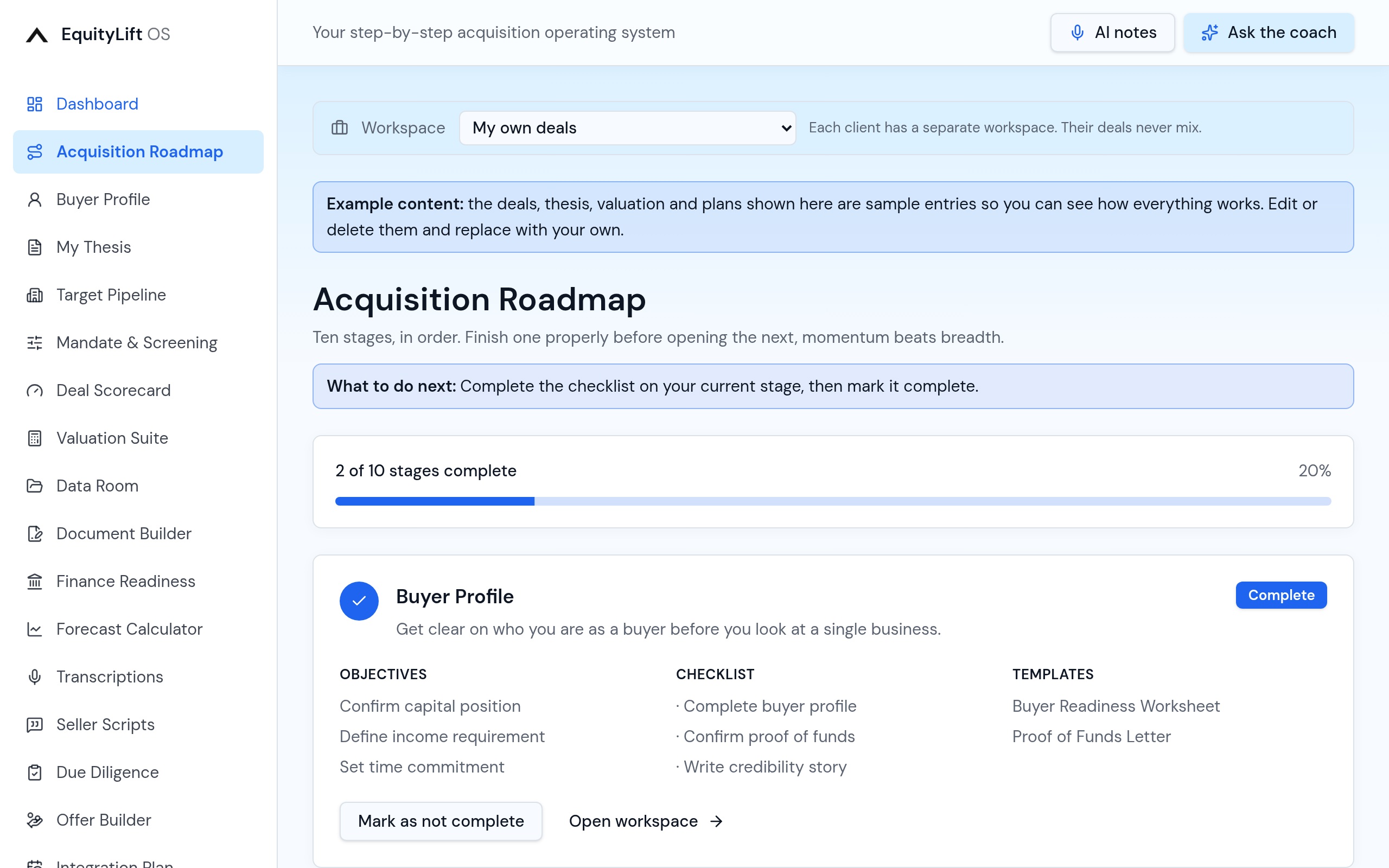
Ten guided stages from writing your thesis to the first 90 days after completion. Each stage has its own checklist, so you always know what finished looks like before you move on.
- Ten stages with checklists you tick off
- Stage completion feeds your progress score
- Jump straight from a stage into the tool that does the work
03
Target Pipeline
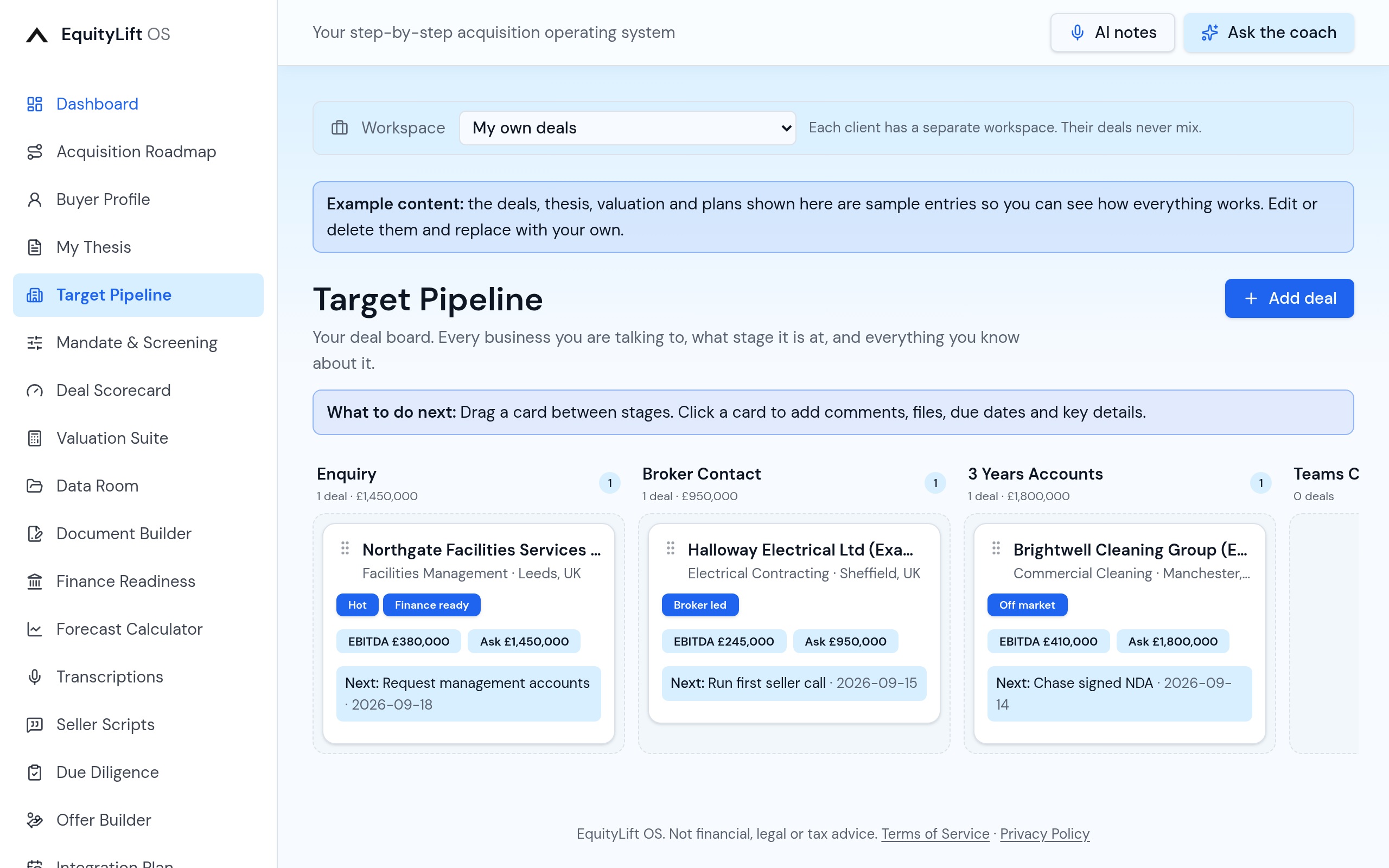
A drag-and-drop deal board with your real stages: Enquiry, Broker Contact, 3 Years Accounts, Teams Calls, Financials/Offer, Offer Accepted, Finance Approved, SPA, Lost and Completed. Deal value and count total at the top of every column.
- Drag deals between stages, saved instantly
- Column totals for deal count and asking price
- Labels, due dates and next actions visible on every card
04
Inside a deal card
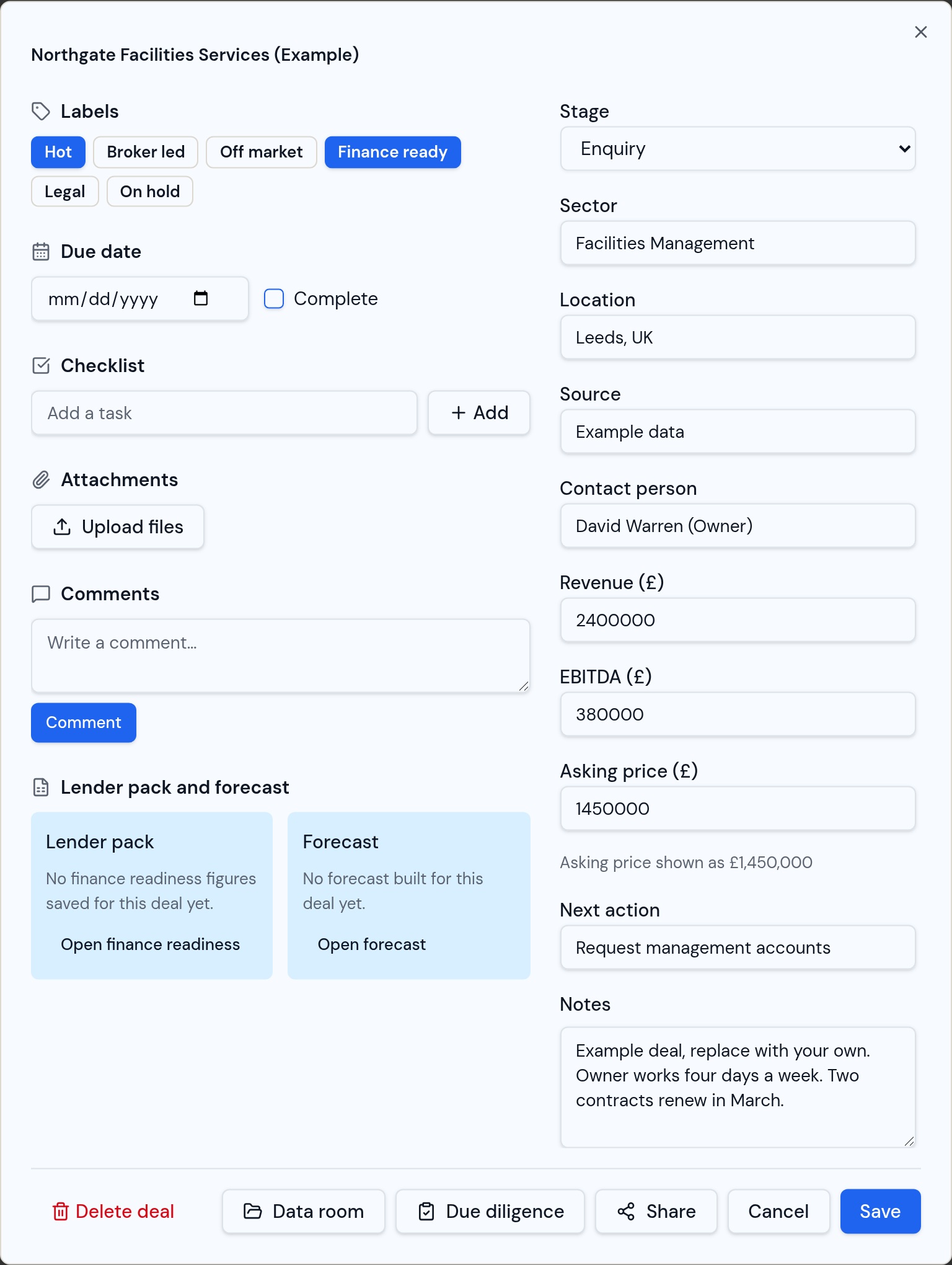
Open any card and you get the whole deal in one place: stage, sector, location, source, contact, revenue, EBITDA and asking price, plus labels, due dates, checklists, comments and file uploads. Files open on screen (images, PDFs and video) without downloading them first.
- Comments, checklists, due dates and labels
- Upload and preview files directly on the card
- Shortcuts to that deal's data room and due diligence
- Share the deal as a view-only link, or delete it
05
Mandate & Screening
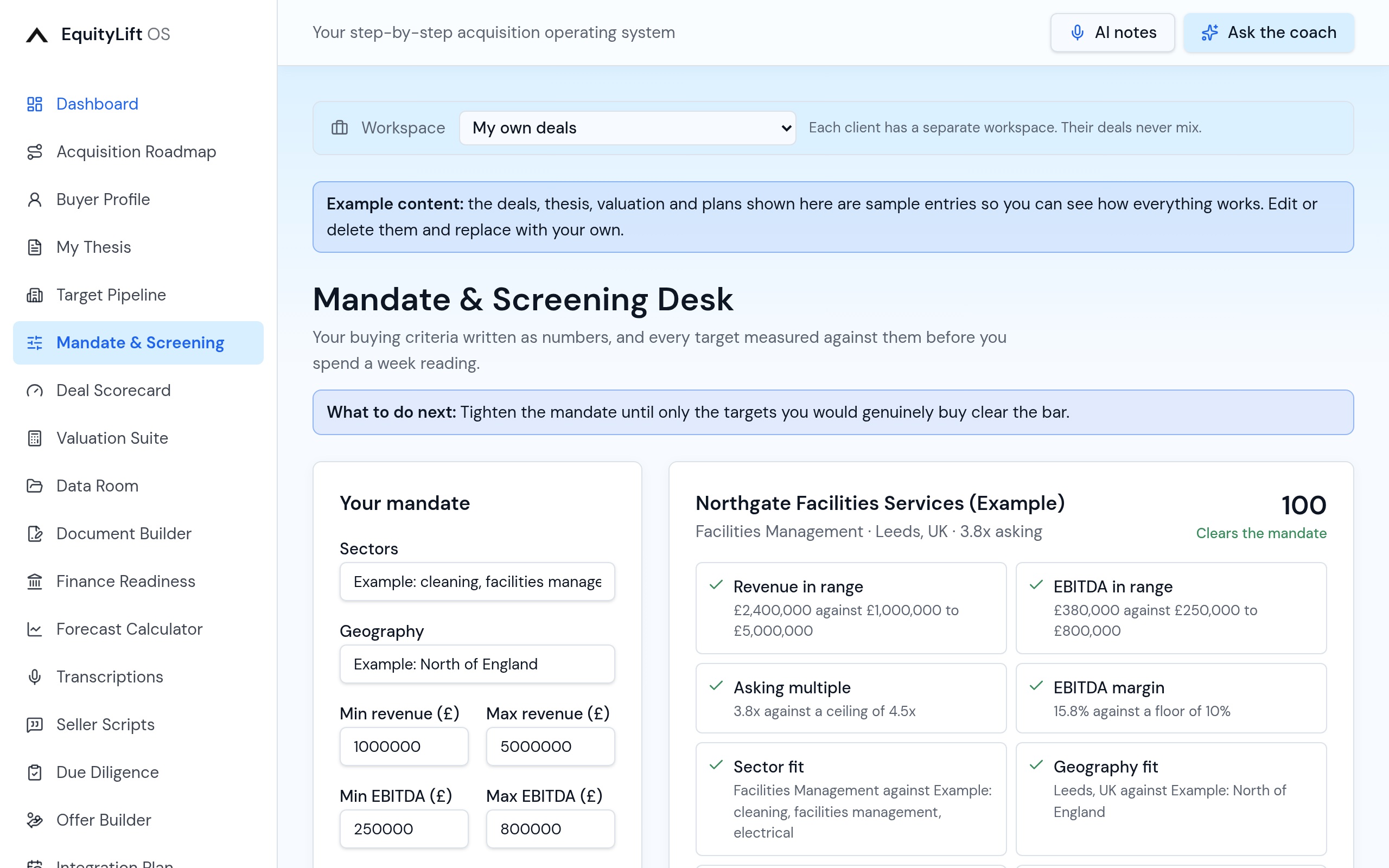
Write your buying criteria once as numbers. Every target in the pipeline is measured against it, scored and ranked, with red flags such as a stretched asking multiple, thin margins, owner dependency or a cold next action called out before you waste a week.
- Your mandate as hard numbers, not a paragraph
- Automatic fit score and ranking for every target
- Red flags surfaced before you spend time on a deal
06
Deal Scorecard
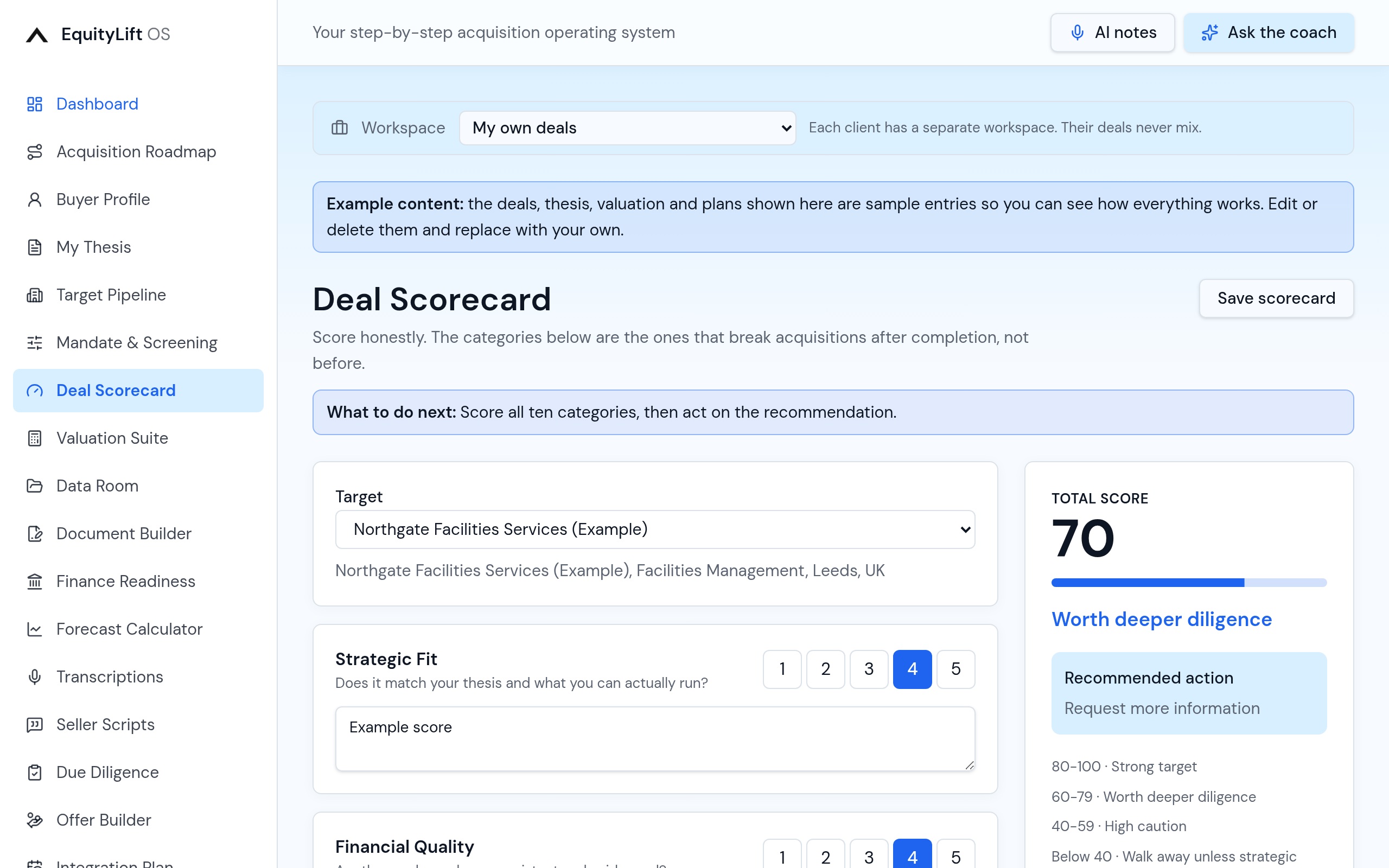
Score any target out of 100 across ten categories: earnings quality, owner dependency, customer concentration, growth, people, systems and more, so two deals can actually be compared.
- Ten weighted categories, one total out of 100
- Scores shown against the deal everywhere in the app
07
Valuation Suite
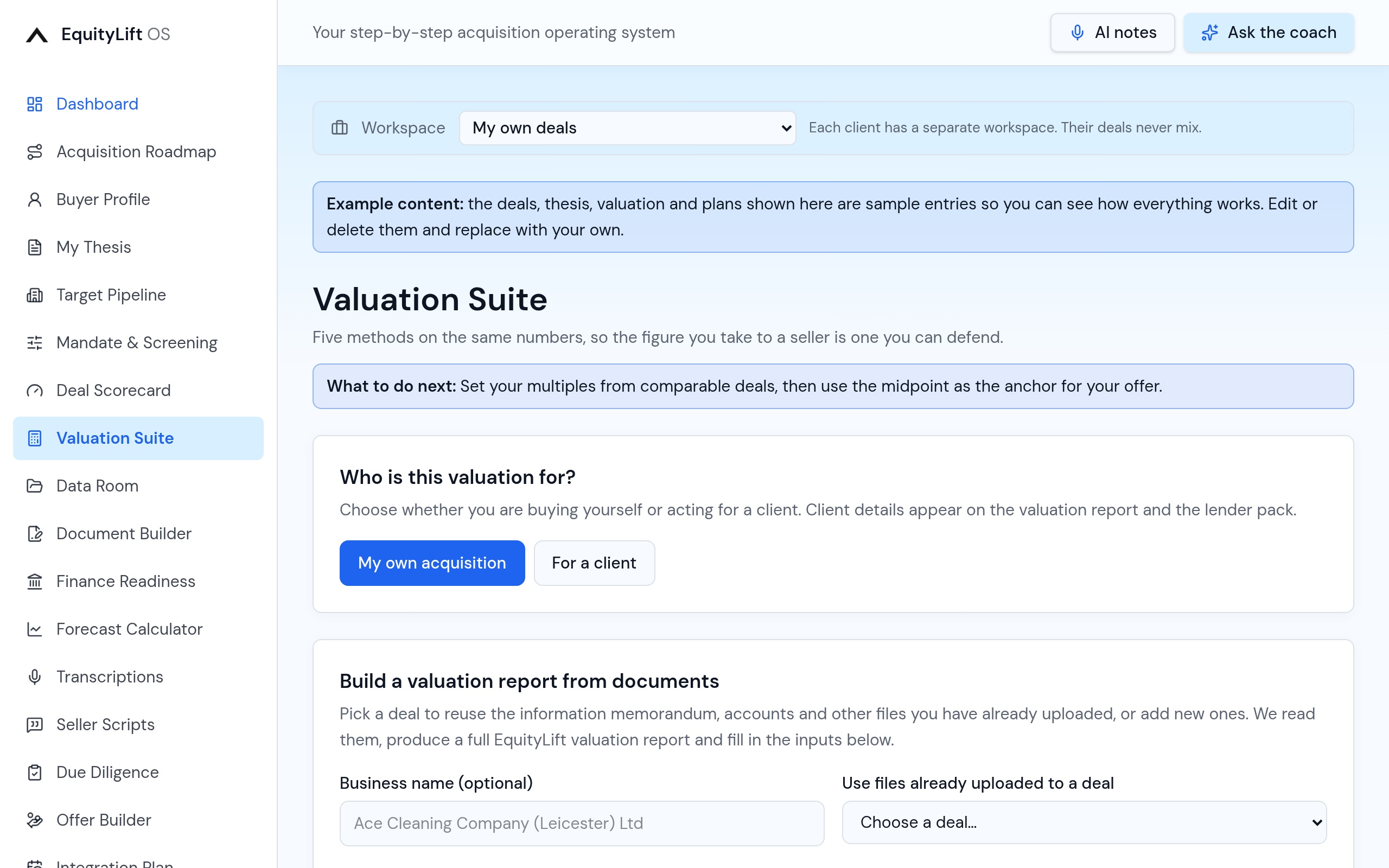
Five valuation methods on the same inputs: EBITDA multiple, seller discretionary earnings, revenue, discounted cash flow and net assets, producing one defendable range and the equity value after debt. Upload the information memorandum and three years of accounts and it drafts a full valuation report for you.
- Five methods, one range, an implied multiple and equity value
- Upload the IM, accounts and extra files to generate a report
- Scenarios, risks, upside, offer stance and diligence gates
- Download as a spreadsheet or save it onto the deal card
08
Finance Readiness
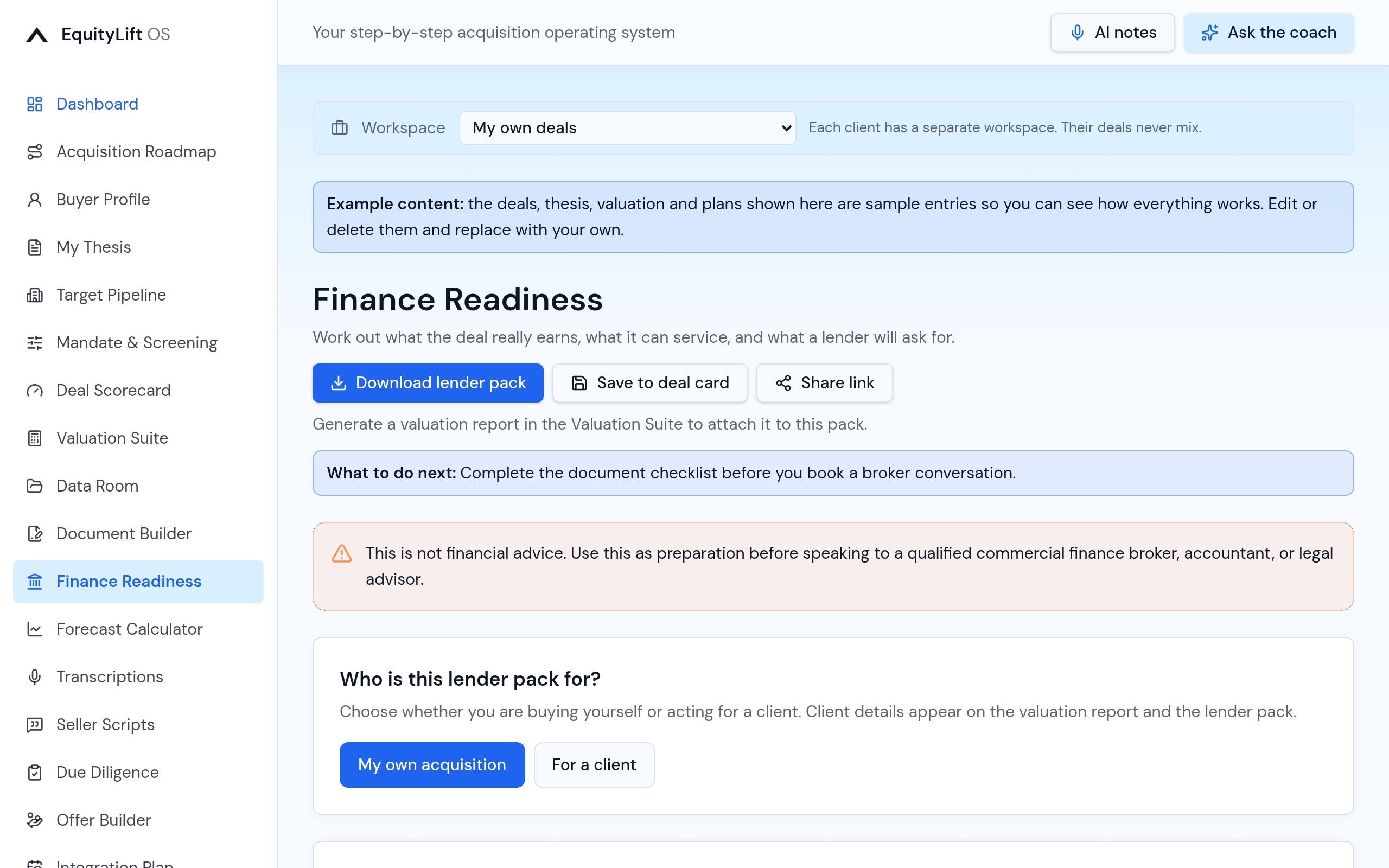
Adjusted EBITDA with evidenced add-backs, the proposed funding structure, debt service cover and the full lender document checklist. When you are ready, download a branded lender pack as a Word document, with the valuation report attached if you want it included.
- Adjusted EBITDA and debt service cover calculated live
- Lender document checklist tracked to completion
- Downloadable Word lender pack, optionally with the valuation
- Share a view-only finance summary with a broker
09
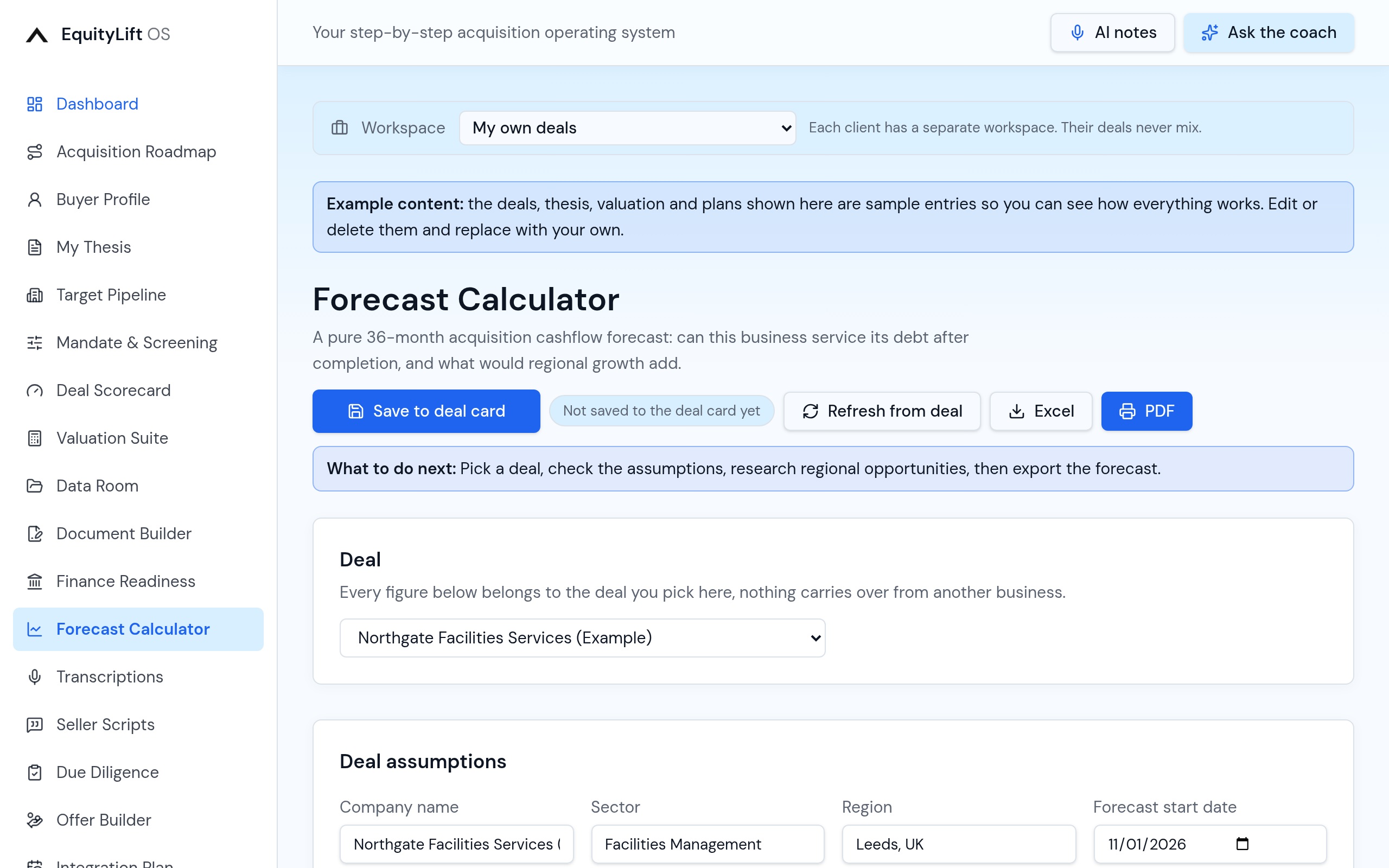
Forecast Calculator
A 36-month cashflow forecast built on the deal you picked: existing trading, the funding structure, deferred payments, payroll, overheads, tax and working capital, with debt cover worked out every month. AI research suggests named regional growth opportunities you can approve, edit or reject before any of it touches the numbers.
- 36 months of cashflow, EBITDA and debt service cover
- Conservative, base and growth cases on the same inputs
- AI-researched regional opportunities you approve one by one
- Existing revenue and new pipeline revenue kept separate
- Download as a spreadsheet or a lender-ready PDF
10
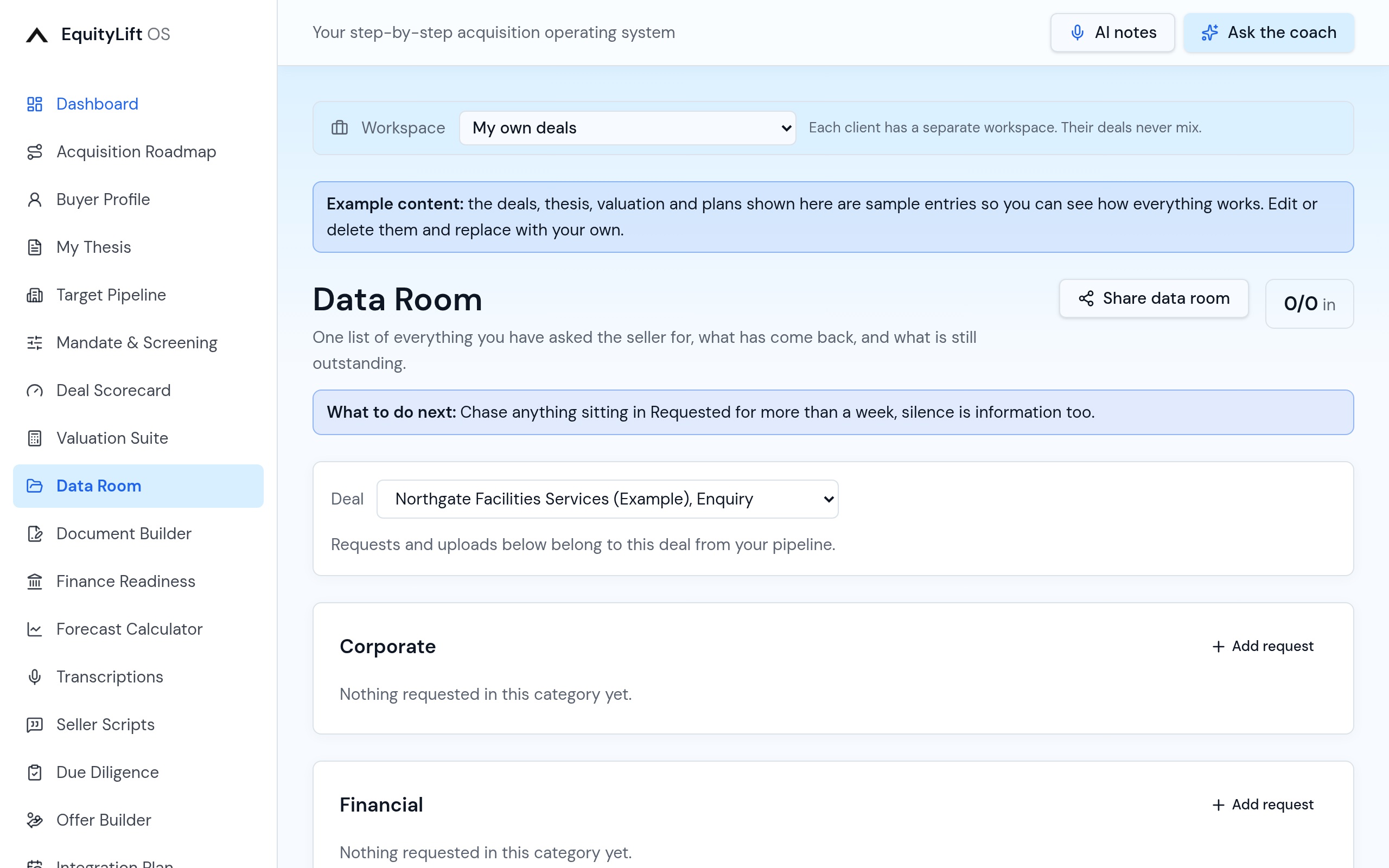
Data Room
Pick a deal from the pipeline and every document request is tracked by category with status, owner and the files themselves. A running question-and-answer log records what you asked and what came back.
- Requests by category with status and owner
- Upload multiple files per request, previewed on screen
- Question and answer log against the deal
- Share the room as a read-only link with an expiry date
11
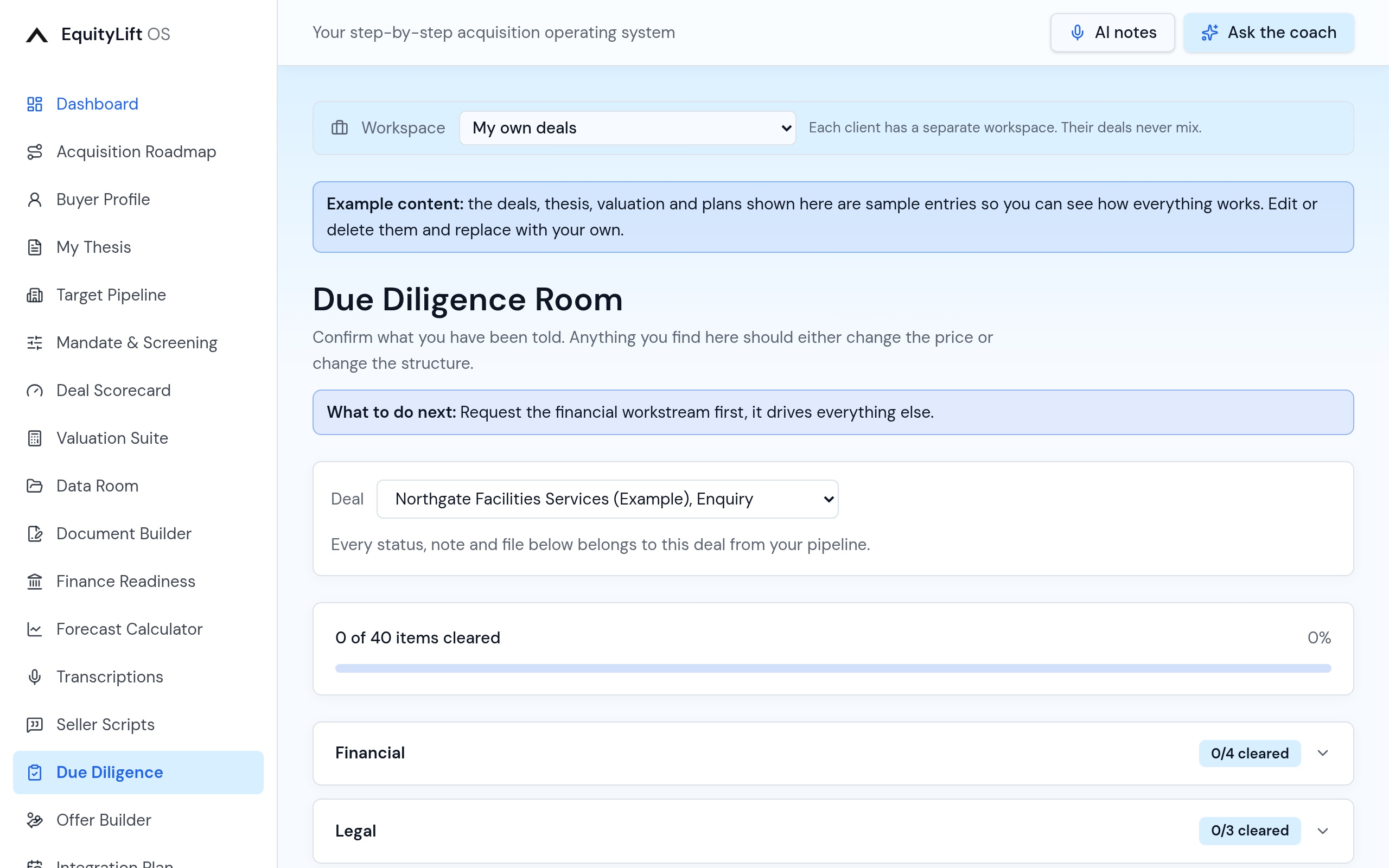
Due Diligence
Thirteen workstreams (financial, legal, commercial, operational, people, IT, insurance and the rest), each with an owner, status, risk level, notes and its own files, kept separately for every deal in your pipeline.
- Thirteen workstreams with owners and risk ratings
- Per-deal records so nothing bleeds between targets
- Attach evidence to individual diligence items
12
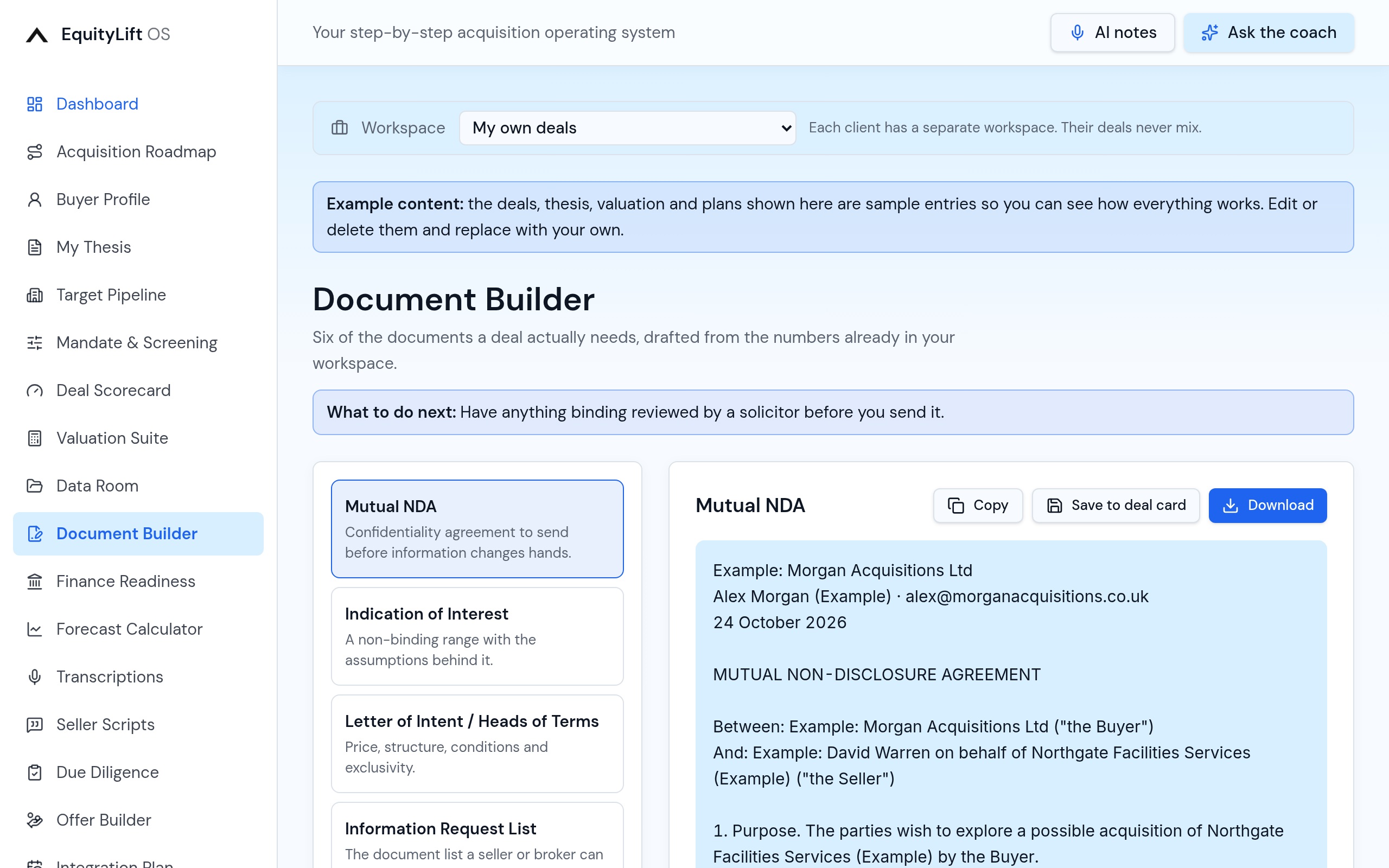
Document Builder
Mutual NDA, indication of interest, heads of terms, information request list, buyer credentials and lender pack summary, each drafted from the deal data already in your workspace and ready to copy or download for your solicitor.
- Six core deal documents drafted from your own data
- Copy to clipboard or download
13
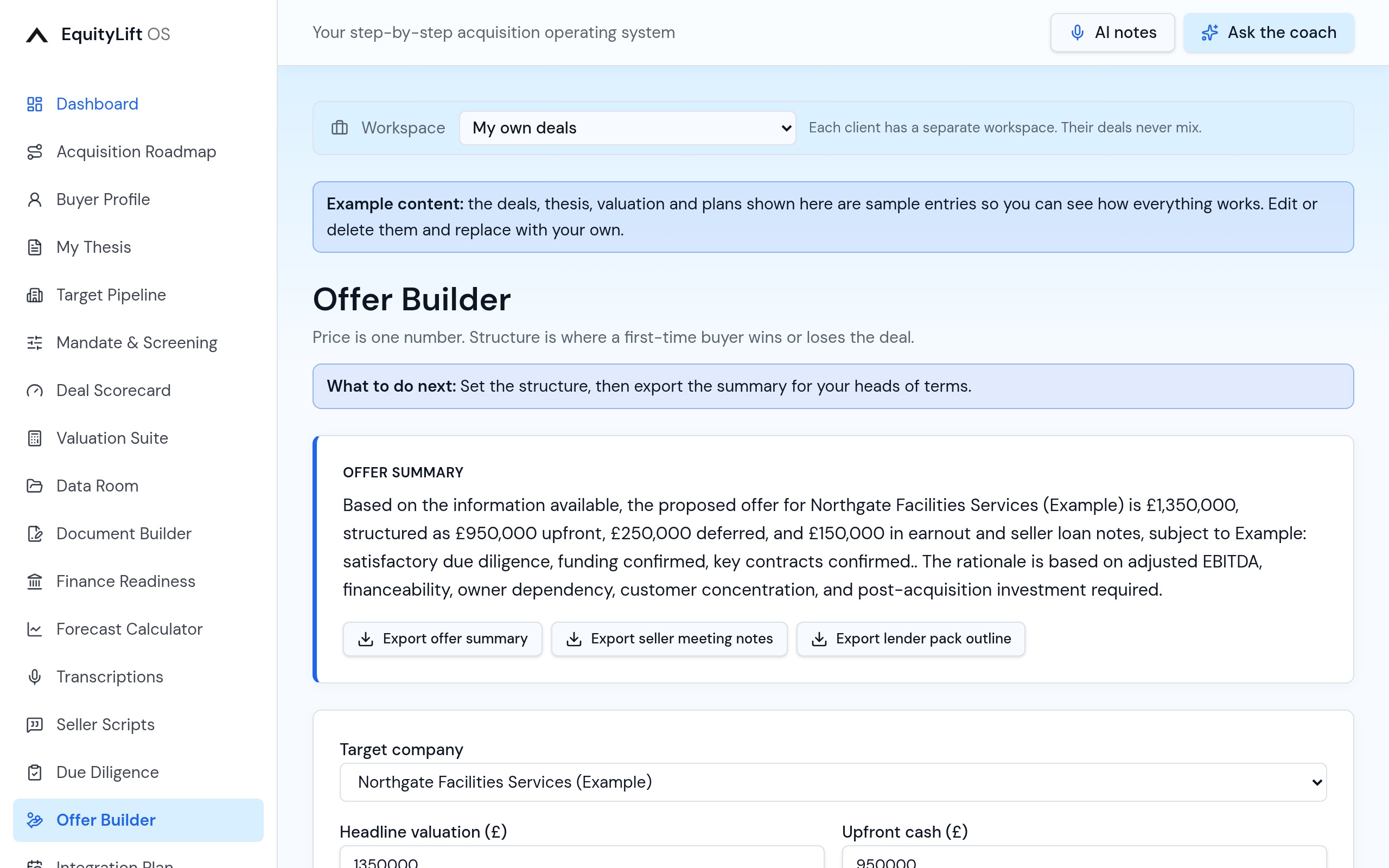
Offer Builder
Structure the offer properly: cash upfront, deferred consideration, earnout and vendor loan, with the headline value, the real risk-adjusted value and the rationale you will actually say out loud to the seller.
- Upfront, deferred, earnout and vendor loan modelled together
- Headline versus risk-adjusted value
- Written rationale to take into the negotiation
14
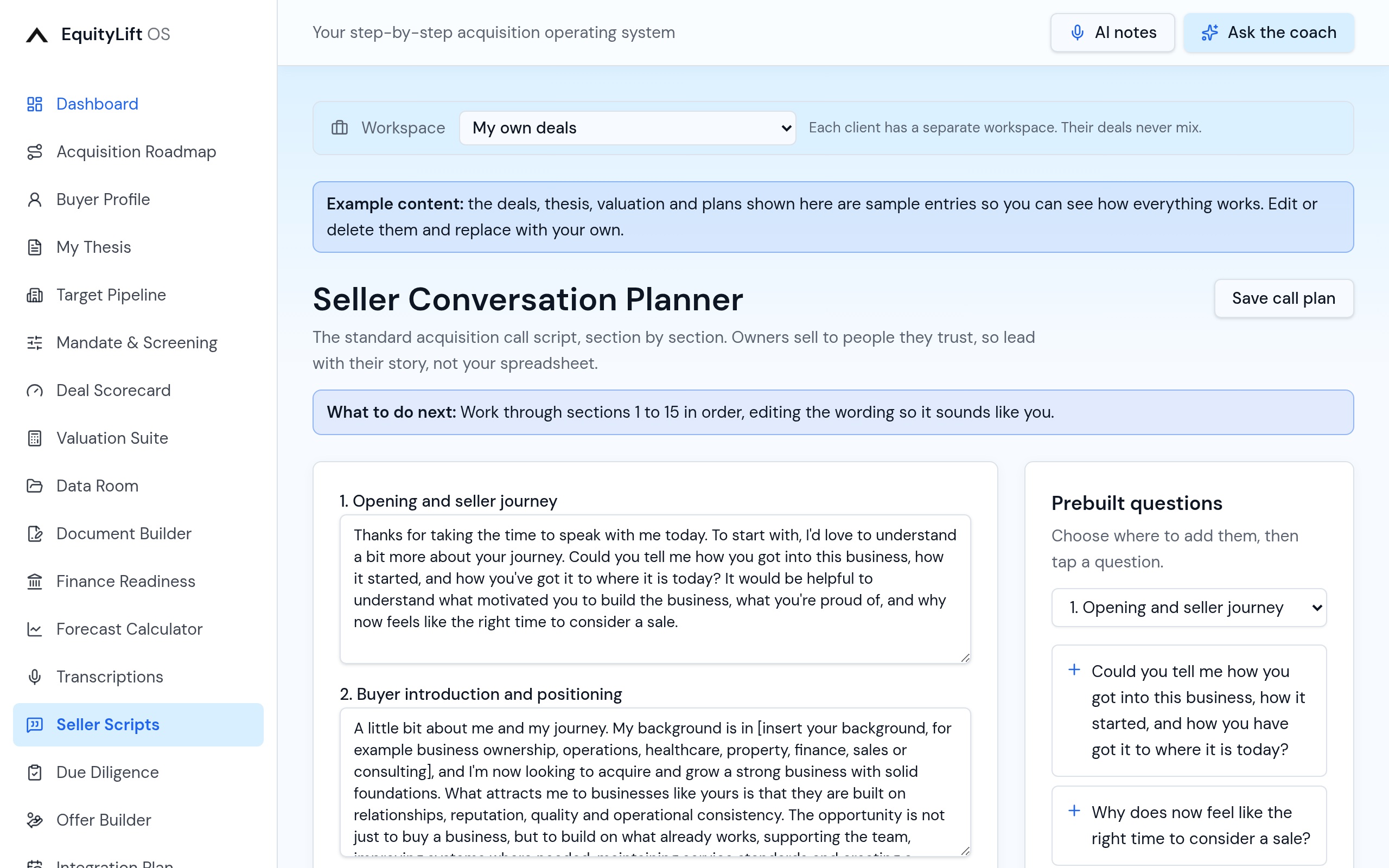
Seller Conversation Planner
The running order for a first owner call: how to open, the questions that matter, what to listen for, and how to close the conversation with a next step rather than a price argument.
- Structured script for the first seller call
- Question banks by topic with what to listen for
15
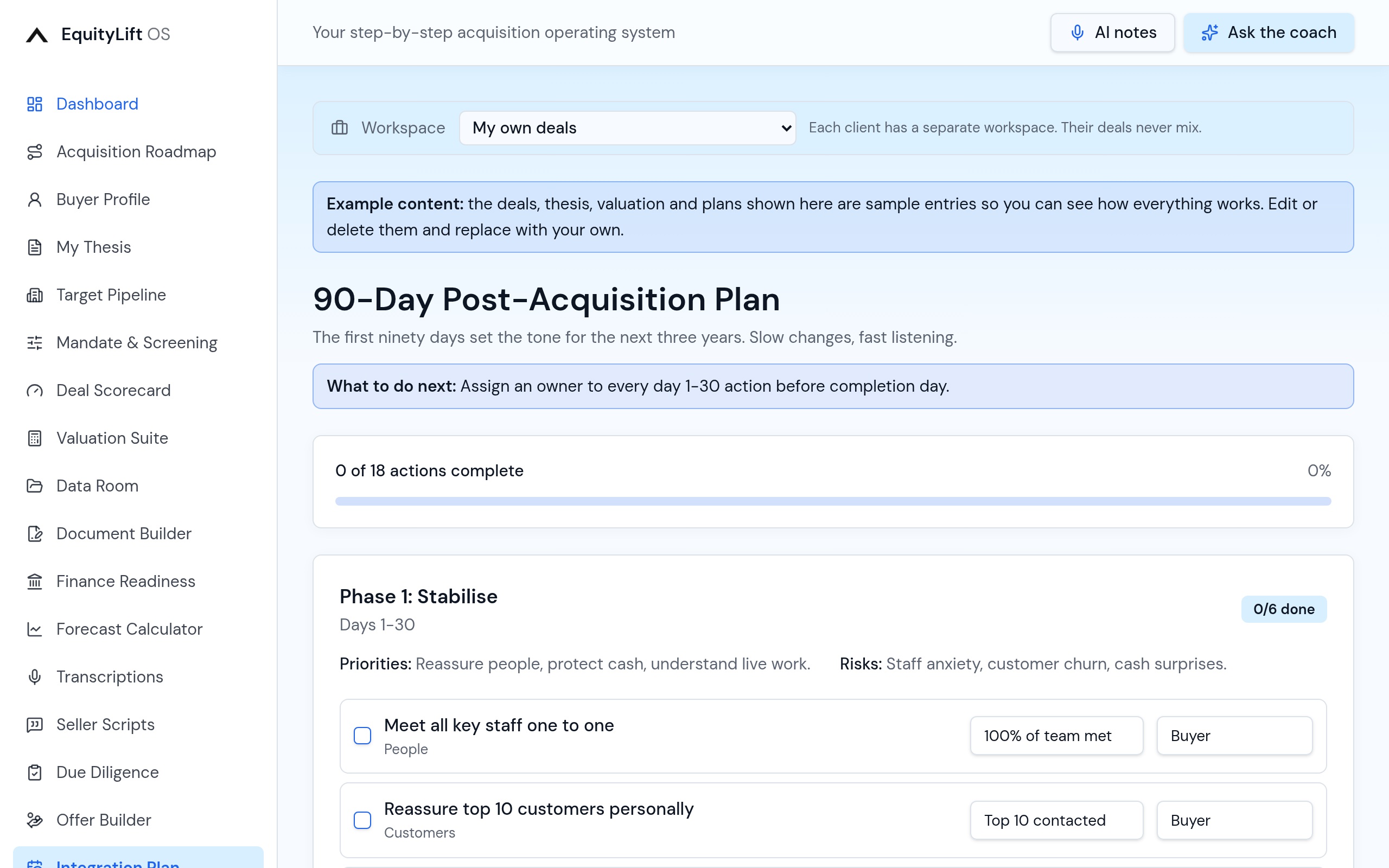
90-Day Integration Plan
Stabilise, systemise, grow. The first 90 days after completion laid out as actions with owners and dates, so day one is not the day you start thinking about it.
- Three phases of 30 days with pre-loaded actions
- Owners, dates and progress tracking
16
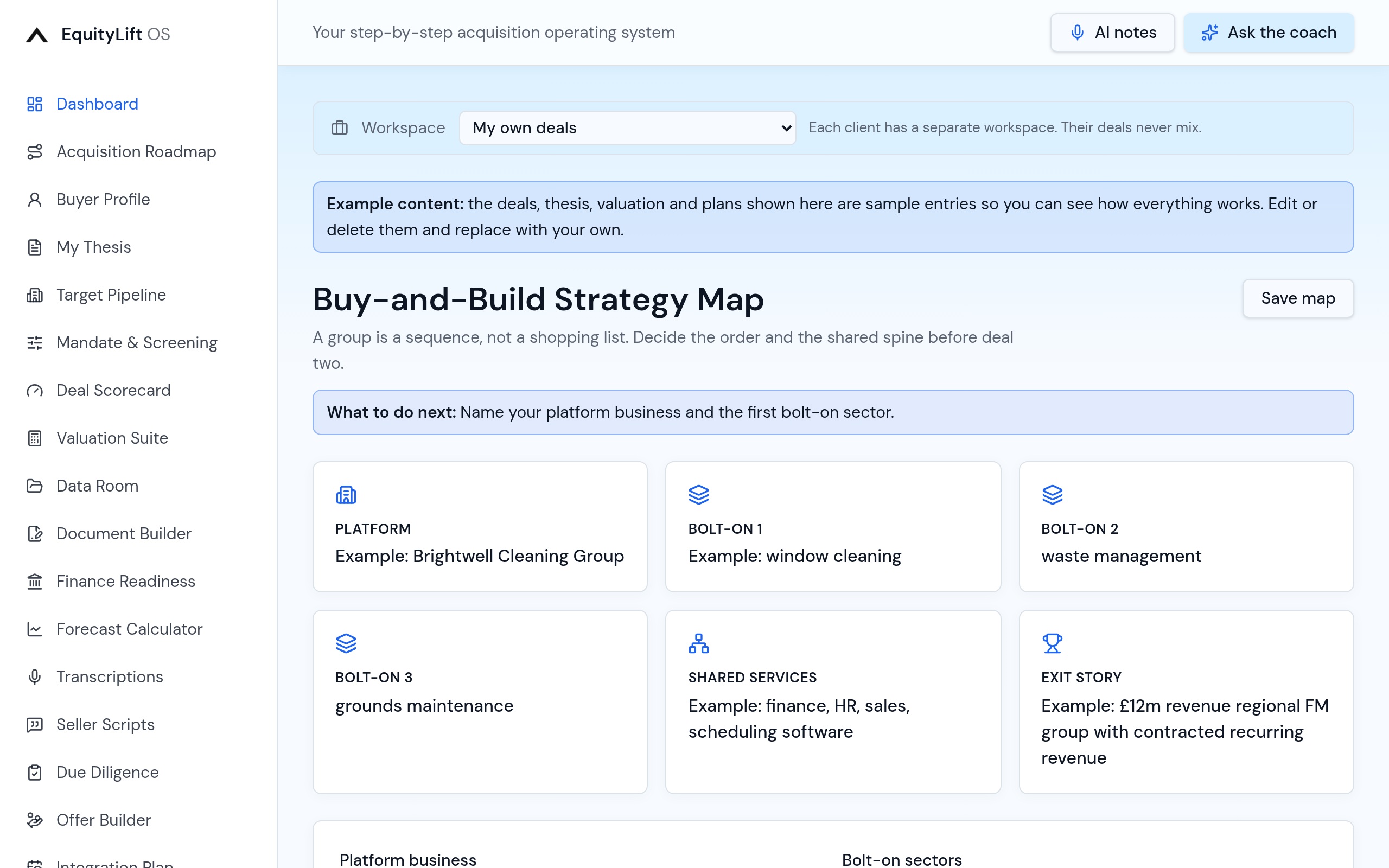
Buy-and-Build Map
For anyone building a group rather than buying a job: the platform, bolt-on criteria, shared services plan and the exit story you are building towards.
- Platform and bolt-on strategy in one canvas
- Shared services and synergy planning
- The exit narrative written down early
17
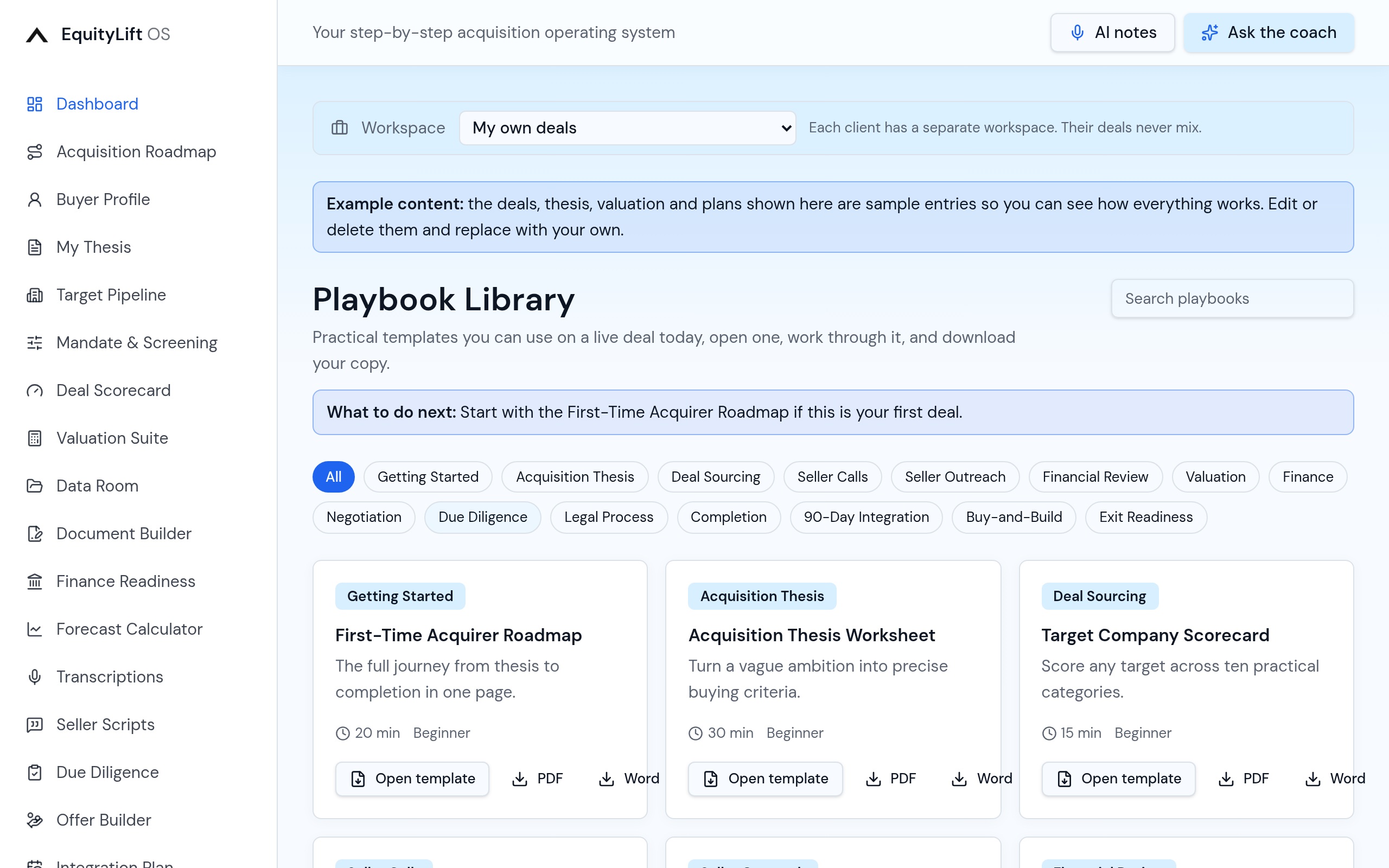
Playbook Library
Eighteen practical templates: thesis worksheet, scorecard, diligence checklist, lender pack outline, seller call script, completion runbook, board pack, investor update and more, every one downloadable as a formatted Word document.
- Eighteen templates and frameworks
- Preview on screen, download as Word
18
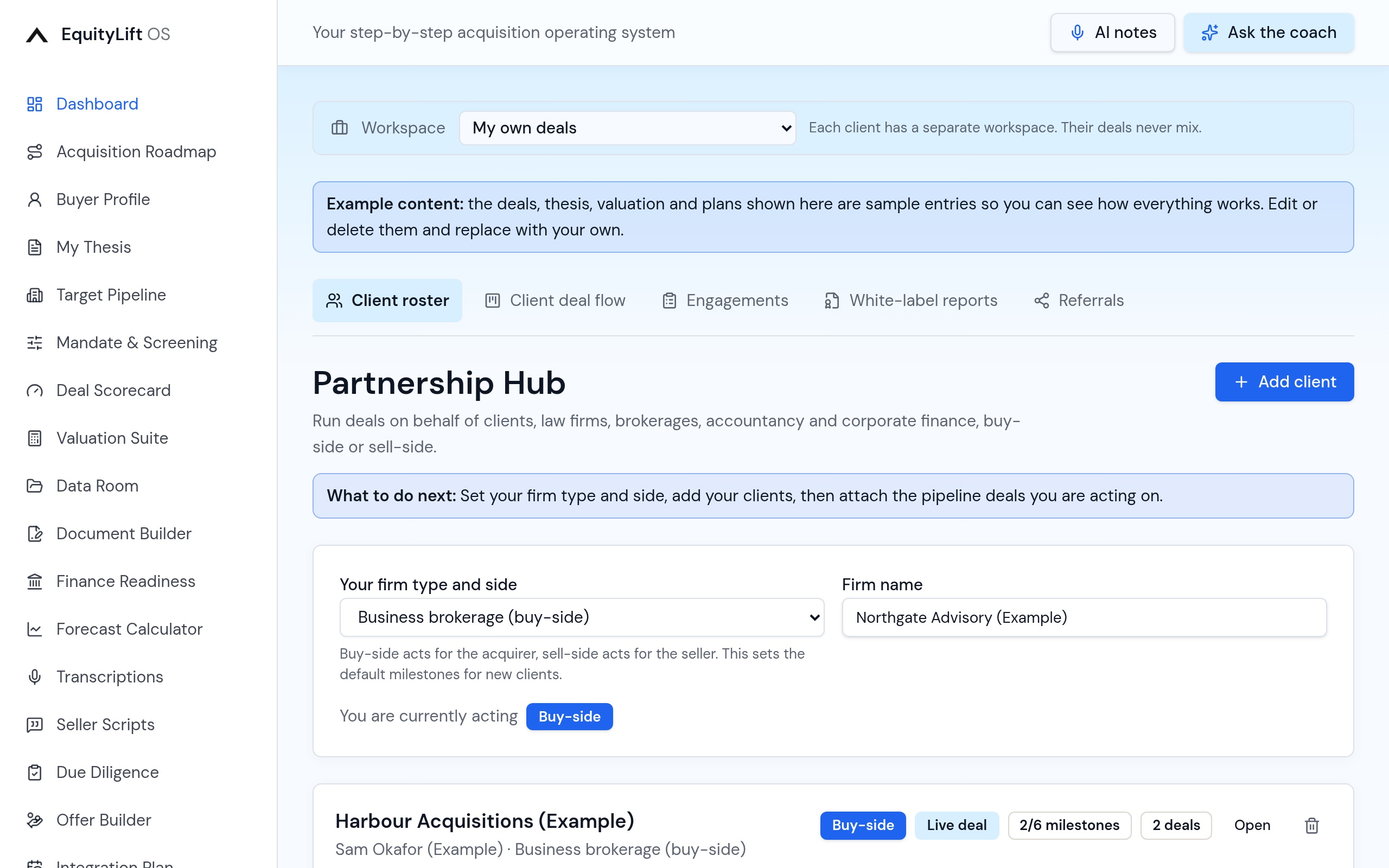
Partnership Hub
A premium section for law firms working buy-side, business brokerages and accountancy practices: a client roster, engagements tracked by firm type, white-label report exports and referral tracking.
- Client roster with per-client deals
- Engagement tracker tailored to your firm type
- White-label reports under your own brand
- Referral tracking with expected fees
19
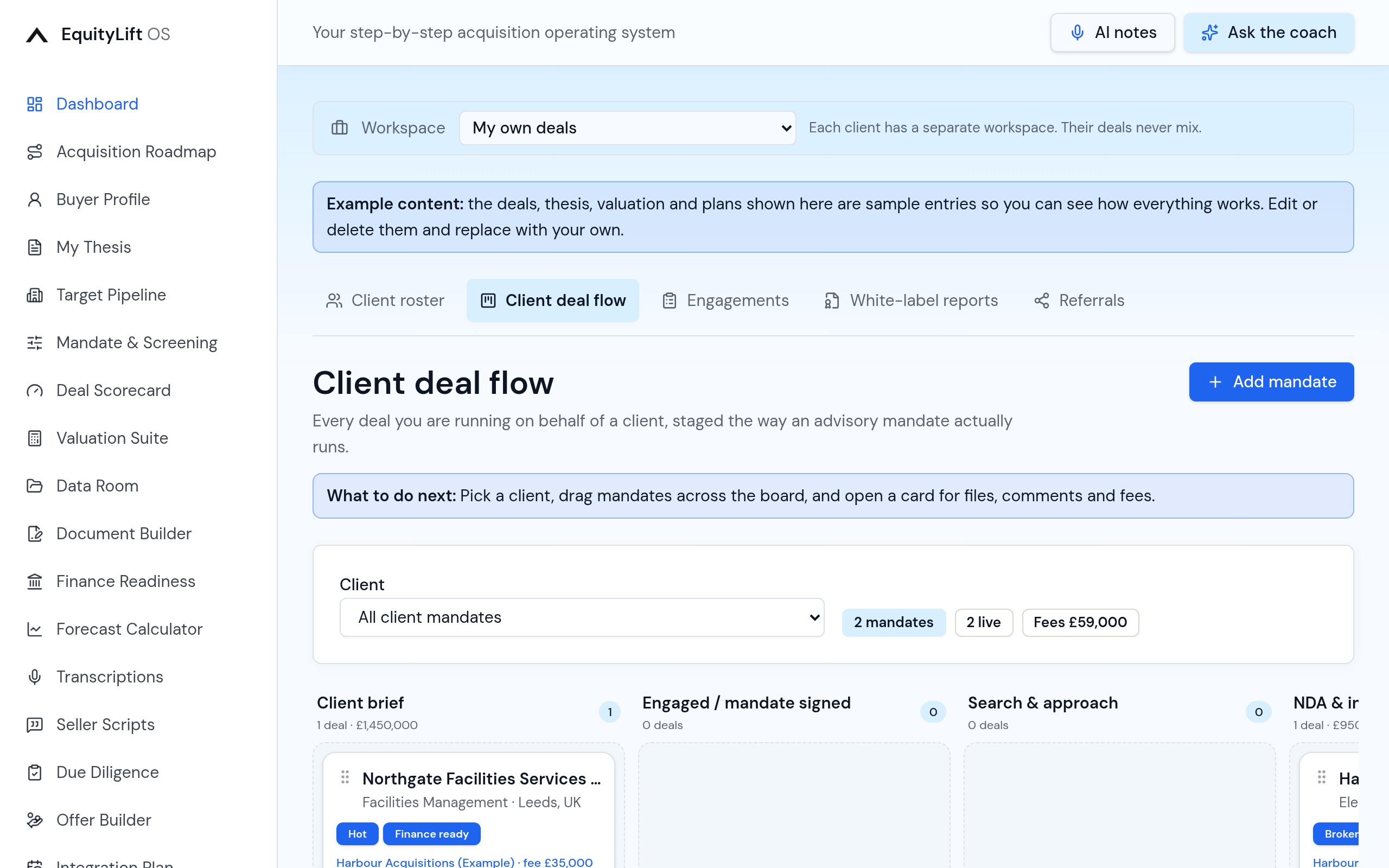
Advisor deal flow
A second board built for mandates rather than your own acquisitions: client brief, engaged, search and approach, NDA, client review, offer, diligence, legals, completed and fees invoiced, filtered by client, with expected fee totals.
- Advisor-specific mandate stages
- Filter by client, see live mandates and expected fees
20
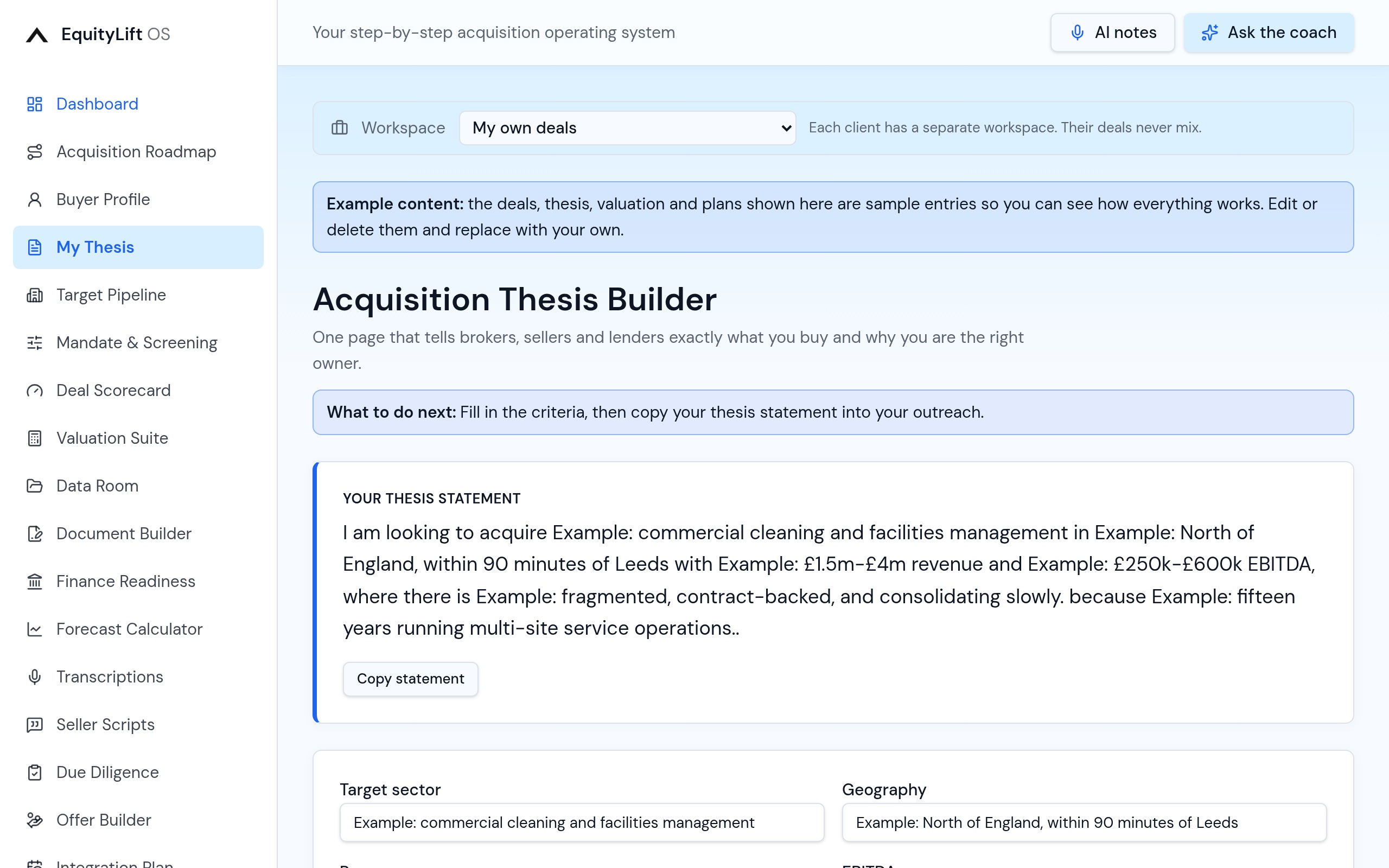
My Thesis
Turn a vague ambition into precise buying criteria: sector, geography, size, earnings band, what you bring and what you will not buy. Everything else in the app measures against it.
- Structured thesis you can actually act on
- Feeds the screening desk and scoring
One workspace for the whole acquisition.
Load your first targets, value the business, get lender-ready and run diligence in the same place.